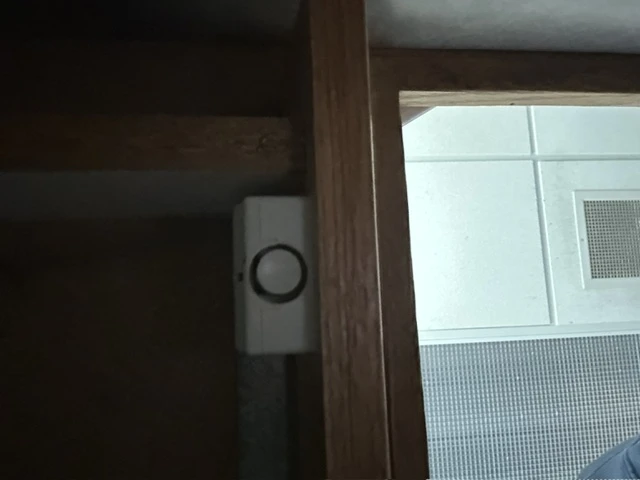
Did you know there is a security button under the KCQ control board?
In an emergency you can press this button and it will alert our security service who will send police to the building immediately. While it’s important for you to know where this button is, DO NOT GO FEELING AROUND FOR IT. J We don’t want the police here on accident. If you’re able to kneel down under the board without touching this area, please feel free to take a look.
Here’s a picture:
SUNDAY MORNING / OpX BYPASS INSTRUCTIONS
Each OpX is capable of running each station without running through the control board. The OpX can bypass the board entirely for special programming or emergencies.
On WSAM / WSAG we air a simelcast of the Bay's normal programming on both WSAM and WSAG through out the week. However, on Sunday mornings we seperate WSAM from WSAG so special programming can air on WSAM 1400 AM.
The insructions below will help you seperate WSAG and WSAM and then return them to simelcast. While this is the only prirary use of the switcher, you'll see that both WKCQ and WMJO exist on the switcher as well. There's no need to make any changes to KCQ or Joe with this switcher unless directed to by engineering or operations.
FROM ENGINEERING RE: The WSAM WSAG Switcher
The switcher, is located in the WSAM/WSAG studio, in the right hand cabinet, and pictured below. Primarily used for WSAM's Polka show, emergency use capabilities' also are available, should there be audio board issue in ANY studio. This tool allows OpX automations to go directly to air replacing a failed studio Board as shown below.
Top Pic, close-up of the switcher. Note in WHITE "STUDIO BOARD SELECTOR". When these top row station lights are on, those station audio Boards are ON AIR. Top Pic, lower half, in YELLOW, "BOARD BYPASS SELECTOR". Stations operating with lights on in this lower row, the OpX Studios are on air, DIRECTLY, without the studio Board! EXAMPLE; KCQ & JOE audio consoles are on the air in Normal operation, See lights 1&2 on top row. 1 is KCQ 2 is JOE. Conversely: Note lights 3&4, on bottom row. WSAG & WSAM are on air DIRECTLY from WSAG's OpX. The SAM/ SAG studio Board is NOT ON AIR.

HOW to make a switch: 1.Gently push & hold the station button (On right) you wish to change. 2.THEN touch the desired operation. Here you see that two lights are on, for the WSAG OpX. Light 3, is TO WSAG, while - Light 4, is TO WSAM-AM & Translator W222CQ-FM. This means the SAG/SAM audio board is NOT on any air, and could be used for a production session, maintenance, or be idle until the next needed.
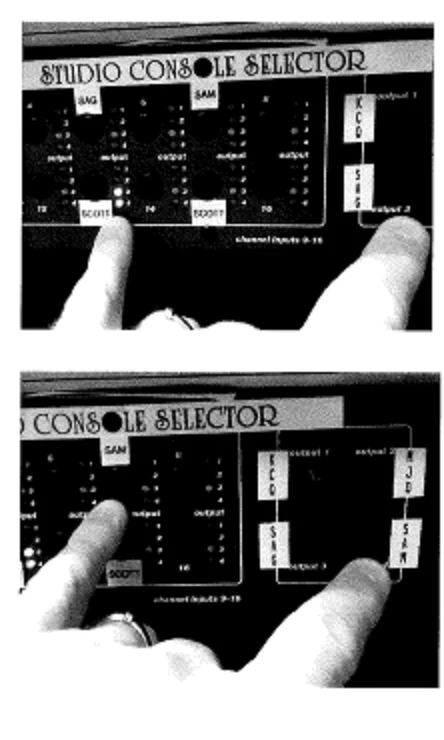
TO put WSAM-ON AIR from the Studio Board, Touch & hold "SAM" on right, THEN touch & release the "white" SAM button pictured. You will see the #4 light come on, and SAM audio now comes from the SAM/SAG Board.
************** BEFORE YOU SWITCH!! MAKE SURE YOU HAVE AUDIO RUNNING FIRST!!!
RadioCloud is the Distributor of Throwback Nation.
On the Filezilla computer the stand alone on the file cabinet.
To verify the files have downloaded properly:
Access the Radio Cloud folder by opening the Folder ICON near the start button.
Scroll down to the Radio Cloud Folder on the Left side of the Dialog Box and click on it and all the contained files will appear on the right.
Check the Dates which are listed in the file description also be sure all 20 files are there.
If they are not, Contact RadioCloud@1-844-444-000 x641 or Shawn Gilbert 1-330-581-7791 or email shawn@radio.cloud they can send individual files or all of them.
On the OpX Server Open the Program Transfer/Convert by Friday @3pm it should have Auto Ingested all of the RadioCloud/Throwback Nation Files. If you want to do this manually that is fine also but this will also show any files that didn't ingest.
If files don't ingest the problem, most likely is a conversion error. So, you will need a USB Drive to copy those files over on to it.
Take the Files into the Production Room and Save them @44100 Bit Rate and Copy them back into the FileZilla Computer in the RadioCloud Folder.
On the OpX server use Transfer/Convert to ingest those Files that had problems and all should be ok.
Verify ingested Files with File Manager per Station Folder Long Form Shows.
Transmitter Phone Numbers
X-MITTER READINGS
WMJO
989-659-3399
WSAG
989-697-3832
WKCQ
989-753-1401
KCQ STUDIO UPDATE
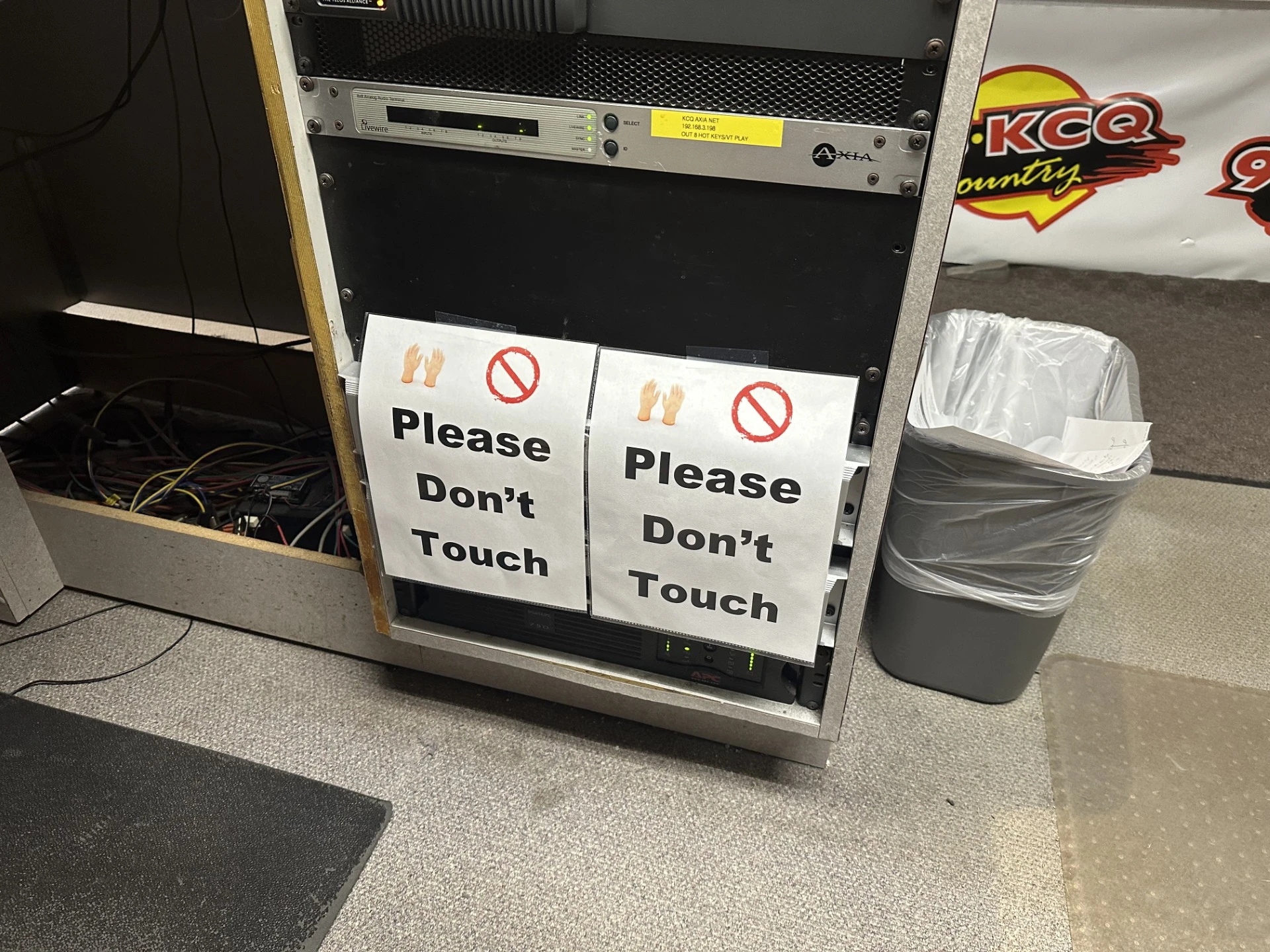
Please do not touch or rest your feet on any of the studio equipment.
We don't know when it happened, but some consistant pressure on the front of one of the OpX machines in the rack caused some damage. It's been repaired and we're up to full speed.
As you know we have limited staff and resources. Lets do our best to maintain and be careful with and around equipement so it lasts long and functions well! THANK YOU!
© 2026 WKCQ-FM, MacDonald Broadcasting

Built on Envisionwise Technology.